






System Recovery Agent for Dell Networker®

Bring Complete System Recovery to Dell NetWorker

Recover Windows, Linux, AIX and Solaris Systems from the NetWorker Backups You Already Have

When a server is lost, restoring its files is only part of the job. Cristie NBMR uses your existing Dell NetWorker backups to recover the complete operating environment, helping return protected systems to service without rebuilding them manually from the ground up.

Keep NetWorker at the centre of your data protection strategy while adding a defined recovery path for complete systems with Cristie’s patented system recovery technology within NBMR.

Dell Technologies

Why Extend Dell NetWorker with Cristie NBMR?

NBMR builds on the NetWorker protection processes already in place, adding the information and recovery environment needed when the requirement is to restore an entire machine rather than its data alone.

With NBMR, the NetWorker backups you already rely on become part of a practical route from server loss to a working system.

Run NBMR as a standalone system recovery solution, or connect it to Cristie Recovery Hub when you need to automate and coordinate recovery across multiple systems.

From NetWorker Backup to Working System

NBMR adds the machine-level context required to use protected NetWorker data as the foundation for full system recovery.

NBMR records information about the protected machine before its NetWorker backup takes place. Disk and storage configuration, operating system details and network information can then be available to the recovery environment if that machine needs to be rebuilt.

Rather than starting with a blank replacement server and manually recreating its configuration, the recovery process uses this information to rebuild the required system structure before restoring the protected NetWorker data.

Configuration capture can also be incorporated into normal NetWorker backup operations, helping the recovery information evolve as the protected machine changes.

The result is a recovery process built around the NetWorker backups and infrastructure your organisation already operates.

Take Dell NetWorker from Data Recovery to System Recovery

See how NBMR and Recovery Hub add system-level recovery capabilities around your existing NetWorker environment.

System Recovery Capability
Dell Networker
Networker + NBMR
Networker + NBMR + Recovery Hub
Backup & data Protection
✅
✅
✅
File & data recovery
✅
✅
✅
Cristie complete system recovery
➖
✅
✅
Windows bare machine recovery with Cristie
➖
✅
✅
Linux bare machine recovery with Cristie
➖
✅
✅
AIX bare machine recovery with Cristie
➖
Solaris bare machine recovery with Cristie
➖
✅
✅
Recovery configuration capture
➖
✅
✅
Recovery configuration capture
➖
✅
✅
NetWorker point-in-time recovery selection
➖
✅
✅
Dissimilar hardware recovery
➖
✅
✅
Flexible disk & storage mapping
➖
✅
✅
Windows driver injection
➖
✅
✅
Windows System State recovery
➖
✅
✅
Windows BIOS to UEFI conversion
➖
✅
✅
Linux UEFI & legacy MBR recovery
➖
✅
✅
Linux Multipath / PowerPath recovery
➖
✅
✅
Linux VLAN & network bonding
➖
✅
✅
Solaris SPARC & Intel recovery
➖
✅
✅
Solaris ZFS / SVM / Veritas reconstruction
➖
✅
✅
Solaris recovery driver installation
➖
✅
✅
Post-recovery network configuration
➖
✅
✅
Centralised recovery management
➖
➖
✅
Automated recovery workflows
➖
➖
✅
Multi-system recovery orchestration
➖
➖
✅
Recovery management at enterprise scale
➖
➖
✅
Scheduled recovery operations
➖
➖
✅
지속적인 복구 보장
➖
➖
✅
고급 이상 징후 탐지
➖
➖
✅

What NBMR Adds to a Dell NetWorker Recovery Strategy

  • Spend Less Time Rebuilding Servers

    Reduce the manual preparation required after server loss by recovering the operating environment and protected data through a defined system recovery process.

  • Manage Recovery as an Operational Process

    Use NBMR for individual system recovery, then introduce Recovery Hub where teams need centralised control, automation, sequencing and ongoing assurance across a larger recovery estate.

  • Recover with the Infrastructure Available

    Use suitable replacement resources instead of making recovery dependent on reproducing the failed server exactly, with platform-specific options for adapting hardware, storage and networking.

  • Build on NetWorker, Rather Than Around It

    Keep established NetWorker backup processes and recovery points at the heart of your protection strategy while extending their use into complete system recovery.

Dell NetWorker System Recovery with Cristie NBMR – Frequently Asked Questions

NBMR adds complete system recovery around the backup data already protected by NetWorker. It records information about the protected machine and uses that information during disaster recovery to reconstruct the operating environment before returning the NetWorker-protected data.

On Windows, for example, the recovery sequence loads the saved configuration, rebuilds storage, restores operating system files from NetWorker, handles dissimilar hardware where necessary and then boots the recovered machine.

NBMR provides system recovery for Windows, Linux, AIX and Solaris. Refer to the Cristie Product Support Matrix for current operating system, architecture and Networker compatibility.

Yes. Recovery-point selection is available on supported NBMR platforms.

For AIX, administrators can switch from the latest backup to Point in time, enter the required date and time and recover the NetWorker backup completed before that point. Linux likewise supports selecting the latest available backup or an earlier recovery date and time.

NBMR provides dissimilar-hardware capabilities on supported platforms so recovery is not necessarily tied to the original server configuration.

Windows can introduce new mass-storage drivers and perform a dissimilar-hardware stage before the recovered system boots. Linux also provides dissimilar-hardware recovery and attempts to load the modules required by newly detected hardware.

NBMR for AIX records the configuration required for disaster recovery and uses Dell NetWorker to perform the backup. For NetWorker 19.4 or later, the guide also requires the NetWorker Authentication database to be saved so the recovery environment can authenticate to the server. NBMR provides the nbmr_save_authdb utility for this purpose.

Yes, with capabilities varying by operating system.

For Windows, NBMR allows you to adjust disk layouts, scale volumes and configure network settings during recovery to suit the target environment.

Linux provides options for changing disk layouts, volume groups and filesystems and for configuring the network settings used by the recovered system.

AIX provides drive-mapping controls and can apply new hostname and network details before a recovered machine is brought online, which is particularly useful when moving or cloning systems.

No. NBMR operates as a standalone system recovery product for Dell NetWorker.

Recovery Hub is an additional management and automation layer for environments where recovery needs to be coordinated across multiple systems, regularly exercised and managed centrally.

NBMR annual subscription: $400 USD per protected system, per year. Please contact us for our competitive multiple server, industry and reseller discounts.

Put Your NetWorker Backups to Work in a Complete System Recovery

When restoring data isn't enough, use Cristie NBMR to recover the Windows, Linux, AIX and Solaris systems that run it.

Cristie 소프트웨어 블로그

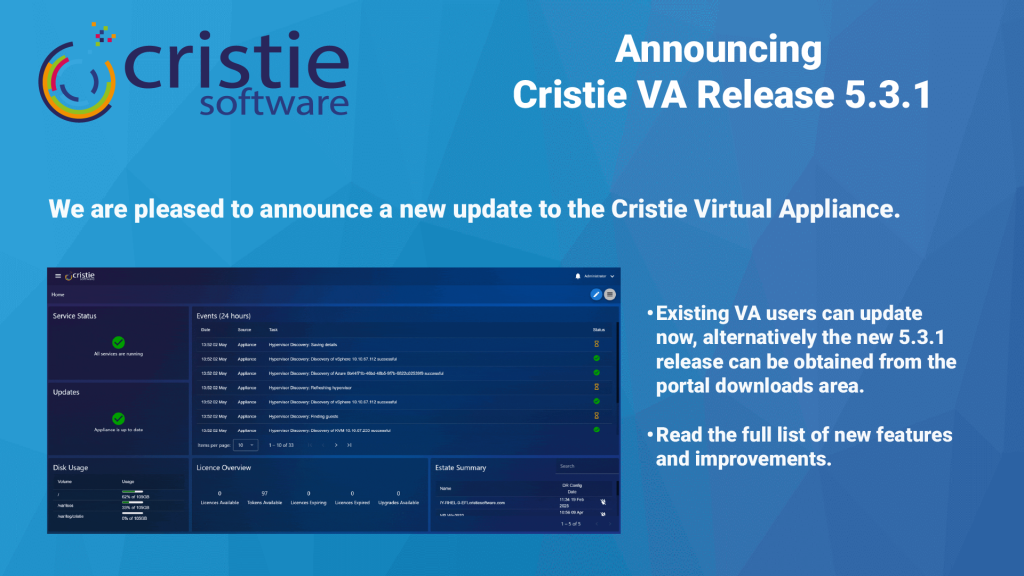
Cristie Virtual Appliance Release 5.3.1 | Cristie Software

Cristie VA 5.3.1 What’s New

Here’s an update on what’s new for the Cristie Virtual Appliance. The 5.3.1 release includes lots of new functionality including Continuous Recovery Assurance for Rubrik VM snapshots.

자세히보기"
What Is Cleanroom Recovery? Why It’s Essential After Ransomware | Cristie Software

What Is Cleanroom Recovery? Why It’s Essential After Ransomware

Cleanroom recovery is becoming essential in the fight against ransomware. By restoring systems in an isolated environment, organizations can validate integrity, eliminate hidden threats, and prevent reinfection. This approach ensures secure, reliable recovery of infrastructure, helping businesses minimise downtime and strengthen cyber resilience after sophisticated cyberattacks.

자세히보기"
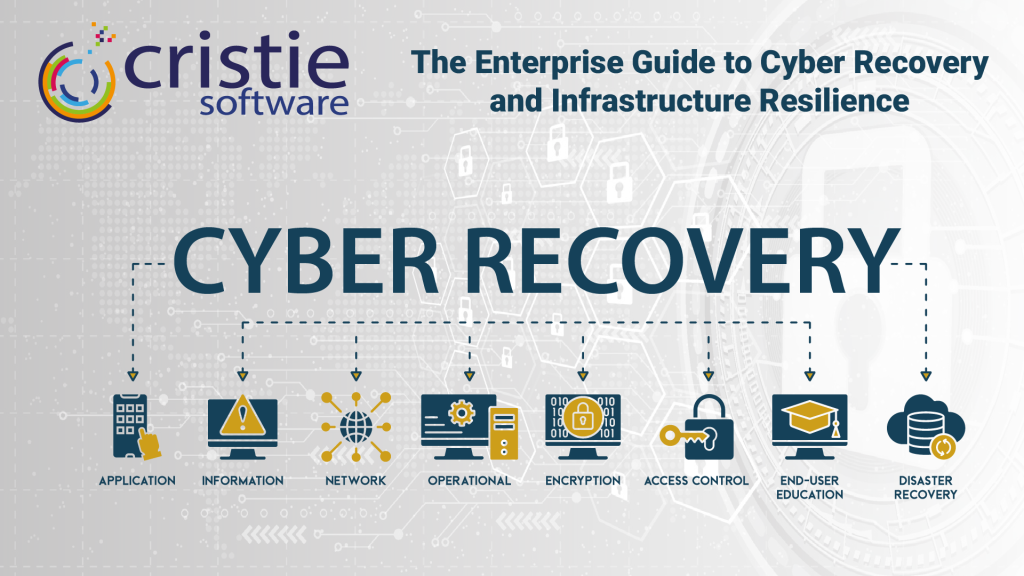
The Enterprise Guide to Cyber Recovery and Infrastructure Resilience | Cristie Software

The Enterprise Guide to Cyber Recovery and Infrastructure Resilience

Modern ransomware targets entire infrastructures, not just data. Traditional backups often fail because they don’t restore operating systems or configurations. This guide explores building a cyber-resilient strategy using automated system recovery and cleanroom environments to bridge the gap between backup and full operational restoration, ensuring rapid recovery after a sophisticated attack.

자세히보기"

자세한 내용은 Cristie 소프트웨어 팀에 문의하세요.

복제 및 데이터 복구에 필요한 것이 무엇이든 저희가 도와드리겠습니다.

https://www.cristie.com/wp-content/uploads/2022/09/thub-logo1.png

문의해 주셔서 감사합니다. 요청을 받았습니다.

https://www.cristie.com/wp-content/uploads/2022/09/thub-logo1.png

문의하기

https://www.cristie.com/wp-content/uploads/2019/06/gdpr_130px.png
개인정보 개요

본 웹사이트는 사용자에게 최상의 사용자 경험을 제공하기 위해 쿠키를 사용합니다. 쿠키 정보는 사용자의 브라우저에 저장되며, 사용자가 웹사이트에 다시 방문할 때 사용자를 인식하고 사용자가 가장 흥미롭고 유용한 웹사이트 섹션을 이해하는 데 도움을 주는 등의 기능을 수행합니다.