





System Recovery Agent for Dell Avamar®

Extend Dell Avamar with Complete System Recovery

Turn Existing Avamar Backups into Recoverable Windows, Linux, AIX and Solaris Systems

Recover complete systems using the Dell Avamar backups you already maintain. Cristie ABMR captures the recovery-critical configuration needed to reconstruct operating systems, applications, storage, network configuration and protected data following system loss or infrastructure failure.

Dell Avamar with Cristie System Recovery Agent (ABMR) brings protected backup data and complete system reconstruction together in a single recovery strategy.

Dell Technologies

Why Cristie System Recovery Agent (ABMR) for Dell Avamar?

Dell Avamar protects critical backup data. Cristie ABMR adds the system intelligence and recovery technology required to reconstruct the machines that use it.

  • Recover Complete Systems from Avamar

    Rebuild Windows, Linux, AIX and Solaris systems using existing Avamar backups together with the recovery-critical system configuration captured by ABMR.

  • Move Recovery Beyond the Original Machine

    Restore protected systems when the original server is damaged or unavailable, with platform-specific capabilities for adapting recovery to alternative infrastructure and changed hardware.

  • Reshape the System During Recovery

    Adapt storage, disks, networking and hardware configuration to suit the available recovery environment instead of being restricted to an exact reproduction of the original machine.

  • Return to an Earlier Recovery Point

    Choose an appropriate Avamar backup or recovery point when rebuilding a protected system, helping administrators return the machine to the required state rather than simply restoring the latest available data.

  • Strengthen Recovery Preparedness

    Combine ABMR with Cristie Recovery Hub to centralise recovery management, automate recovery workflows and regularly validate the recoverability of protected systems.

ABMR extends the value of Avamar beyond protected data, providing the technology and system information needed to rebuild complete operating environments.

Use ABMR independently for system recovery from Dell Avamar, or add Cristie Recovery Hub to coordinate, automate and manage recovery across larger and more complex environments.

Reconstruct Complete Systems
from Dell Avamar Backups

Avamar protects the backup data. ABMR records the additional system information required to rebuild the machine around it.

Before backup, ABMR captures recovery-critical information about the protected system. That configuration is protected with the subsequent Avamar backup so it can be retrieved when disaster recovery is required.

Keeping this information current helps ensure that changes to disks, filesystems, networking and other system components are reflected in the configuration available during recovery.

When recovery begins, ABMR combines the saved system configuration with the selected Avamar backup to recreate the target environment, restore the protected data and prepare the recovered operating system to boot.

Dell Avamar preserves your protected data. Cristie ABMR provides the system recovery process that turns it back into an operational machine.

Dell Avamar vs Avamar with ABMR and Cristie Recovery Hub

How does adding Cristie extend Avamar protection into complete system recovery?

System Recovery Capability
Dell Avamar
Avamar + ABMR
Avamar + ABMR + Recovery Hub
Backup & data Protection
✅
✅
✅
File & data recovery
✅
✅
✅
Cristie complete system recovery
➖
✅
✅
Windows bare machine recovery with Cristie
➖
✅
✅
Linux bare machine recovery with Cristie
➖
✅
✅
AIX bare machine recovery with Cristie
➖
Solaris bare machine recovery with Cristie
➖
✅
✅
Cristie system configuration capture
➖
✅
✅
Recovery to alternative infrastructure
➖
✅
✅
Dissimilar hardware recovery
➖
✅
✅
Point-in-time system recovery
➖
✅
✅
Flexible disk & storage mapping
➖
✅
✅
Windows driver injection
➖
✅
✅
Windows System State recovery
➖
✅
✅
Windows BIOS to UEFI conversion
➖
✅
✅
Linux UEFI & legacy MBR recovery
➖
✅
✅
Linux Multipath / PowerPath recovery
➖
✅
✅
Linux VLAN & network bonding
➖
✅
✅
Solaris SPARC & Intel recovery
➖
✅
✅
Solaris ZFS / SVM / Veritas reconstruction
➖
✅
✅
Solaris recovery driver installation
➖
✅
✅
Post-recovery network configuration
➖
✅
✅
Centralised recovery management
➖
➖
✅
Automated recovery workflows
➖
➖
✅
Multi-system recovery orchestration
➖
➖
✅
Recovery management at enterprise scale
➖
➖
✅
Scheduled recovery operations
➖
➖
✅
Assurance de la reprise continue
➖
➖
✅
Détection avancée des anomalies
➖
➖
✅

Cristie ABMR & Recovery Hub Integration for Dell Avamar – The Business Impact

  • Shorten the Route Back to Service

    Reconstruct complete operating environments from Avamar backups, reducing the manual work involved in rebuilding servers before applications and data can be returned to operation.

  • Keep Recovery Flexible

    Restore protected systems onto suitable recovery infrastructure when the original machine cannot be used, with platform-specific options for adapting storage, networking and hardware during reconstruction.

  • Extend the Value of Avamar

    Use the backup processes and protected data already maintained within Dell Avamar as the foundation for complete Windows, Linux, AIX and Solaris system recovery.

  • Bring Consistency to Diverse Environments

    Standardise recovery across multiple operating system platforms, with Cristie Recovery Hub adding centralised automation, orchestration and recovery assurance where recovery needs to operate at greater scale.

Cristie System Recovery Agent & Recovery Hub Integration for Dell Avamar – Frequently Asked Questions

ABMR captures recovery-critical information about the protected machine and protects that configuration alongside its Avamar backup. During disaster recovery, Cristie’s recovery environment uses the saved configuration and selected Avamar backup to recreate the system structure, restore protected files and prepare the recovered operating system to boot.

ABMR provides system recovery for Windows, Linux, AIX and Solaris. Refer to the Cristie Product Support Matrix for current operating system, architecture and Avamar compatibility.

Yes. ABMR provides platform-specific capabilities for adapting recovery to changed hardware. These include dissimilar hardware recovery and driver handling where supported, as well as disk and network mapping capabilities appropriate to the operating system being recovered.

Yes. ABMR provides platform-specific controls for adapting the recovered machine to its target environment. Depending on the operating system, these include disk mapping, storage layout changes, network configuration, network-interface mapping and driver handling.

Yes. ABMR provides platform-specific controls for adapting the recovered machine to its target environment. Depending on the operating system, these include disk mapping, storage layout changes, network configuration, network-interface mapping and driver handling.

ABMR can also reconstruct Solaris storage involving Veritas Volume Manager, Solaris Volume Manager and ZFS as part of the recovery sequence.

Yes. ABMR provides file-based backup and disaster recovery for supported Solaris systems using Dell Avamar. The supplied guide covers Solaris on both SPARC and 64-bit Intel hardware and provides bootable CD or PXE/Jumpstart recovery options.

No. ABMR can be used independently to recover supported systems from Dell Avamar backups. Cristie Recovery Hub provides an additional management layer for organisations that require centralised recovery control, automation, multi-system orchestration and ongoing recovery assurance.

ABMR annual subscription: $400 USD per protected system, per year. Please contact us for our competitive multiple server, industry and reseller discounts.

Make Complete System Recovery Part of Your Dell Avamar Strategy

Protect your data with Dell Avamar. Use Cristie ABMR to reconstruct complete Windows, Linux, AIX and Solaris systems when they are needed again.

Le blog du logiciel Cristie

Cristie Virtual Appliance Release 5.3.1 | Cristie Software

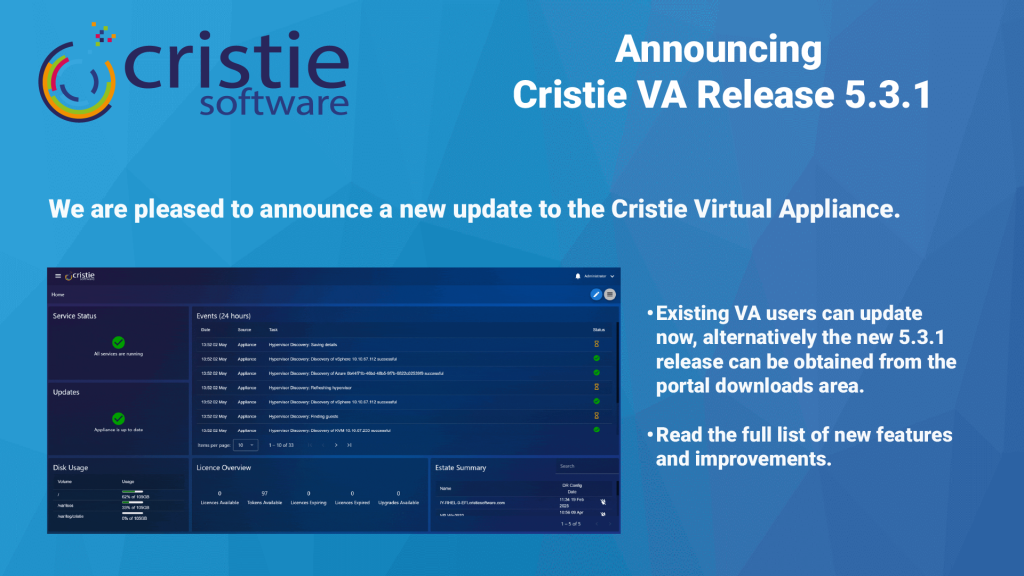
Cristie VA 5.3.1 What’s New

Here’s an update on what’s new for the Cristie Virtual Appliance. The 5.3.1 release includes lots of new functionality including Continuous Recovery Assurance for Rubrik VM snapshots.

Lire plus "
What Is Cleanroom Recovery? Why It’s Essential After Ransomware | Cristie Software

What Is Cleanroom Recovery? Why It’s Essential After Ransomware

Cleanroom recovery is becoming essential in the fight against ransomware. By restoring systems in an isolated environment, organizations can validate integrity, eliminate hidden threats, and prevent reinfection. This approach ensures secure, reliable recovery of infrastructure, helping businesses minimise downtime and strengthen cyber resilience after sophisticated cyberattacks.

Lire plus "
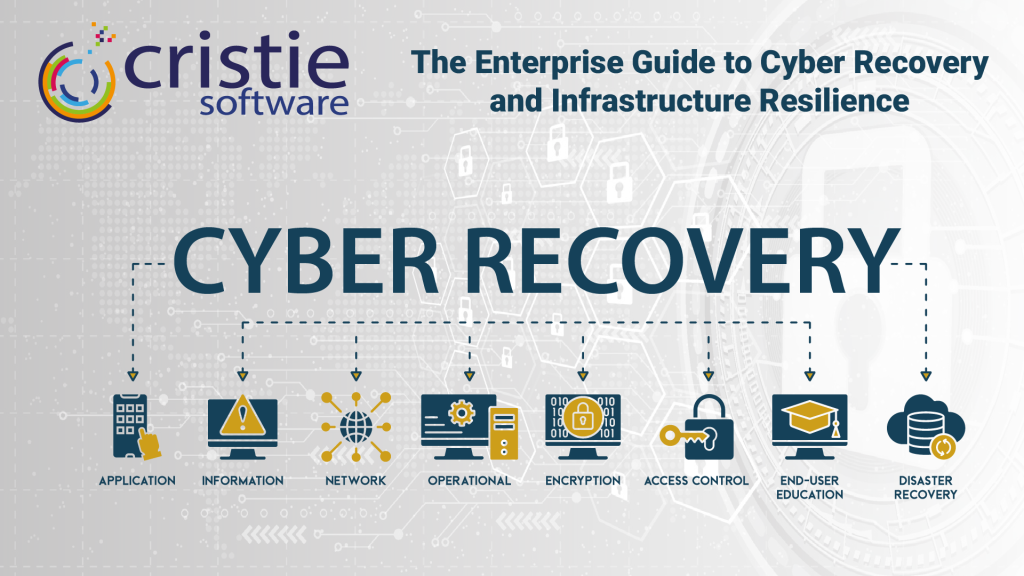
The Enterprise Guide to Cyber Recovery and Infrastructure Resilience | Cristie Software

The Enterprise Guide to Cyber Recovery and Infrastructure Resilience

Modern ransomware targets entire infrastructures, not just data. Traditional backups often fail because they don’t restore operating systems or configurations. This guide explores building a cyber-resilient strategy using automated system recovery and cleanroom environments to bridge the gap between backup and full operational restoration, ensuring rapid recovery after a sophisticated attack.

Lire plus "

Contactez l'équipe de Cristie Software pour plus d'informations

Quels que soient vos besoins en matière de réplication et de récupération de données, nous sommes là pour vous aider.

https://www.cristie.com/wp-content/uploads/2022/09/thub-logo1.png

Merci de nous avoir contactés. Nous avons bien reçu votre demande.

https://www.cristie.com/wp-content/uploads/2022/09/thub-logo1.png

Nous contacter

https://www.cristie.com/wp-content/uploads/2019/06/gdpr_130px.png
Vue d'ensemble de la protection de la vie privée

Ce site web utilise des cookies afin de vous offrir la meilleure expérience utilisateur possible. Les informations contenues dans les cookies sont stockées dans votre navigateur et remplissent des fonctions telles que vous reconnaître lorsque vous revenez sur notre site web et aider notre équipe à comprendre quelles sont les sections du site web que vous trouvez les plus intéressantes et les plus utiles.